Send your crew the plan, not your prices.
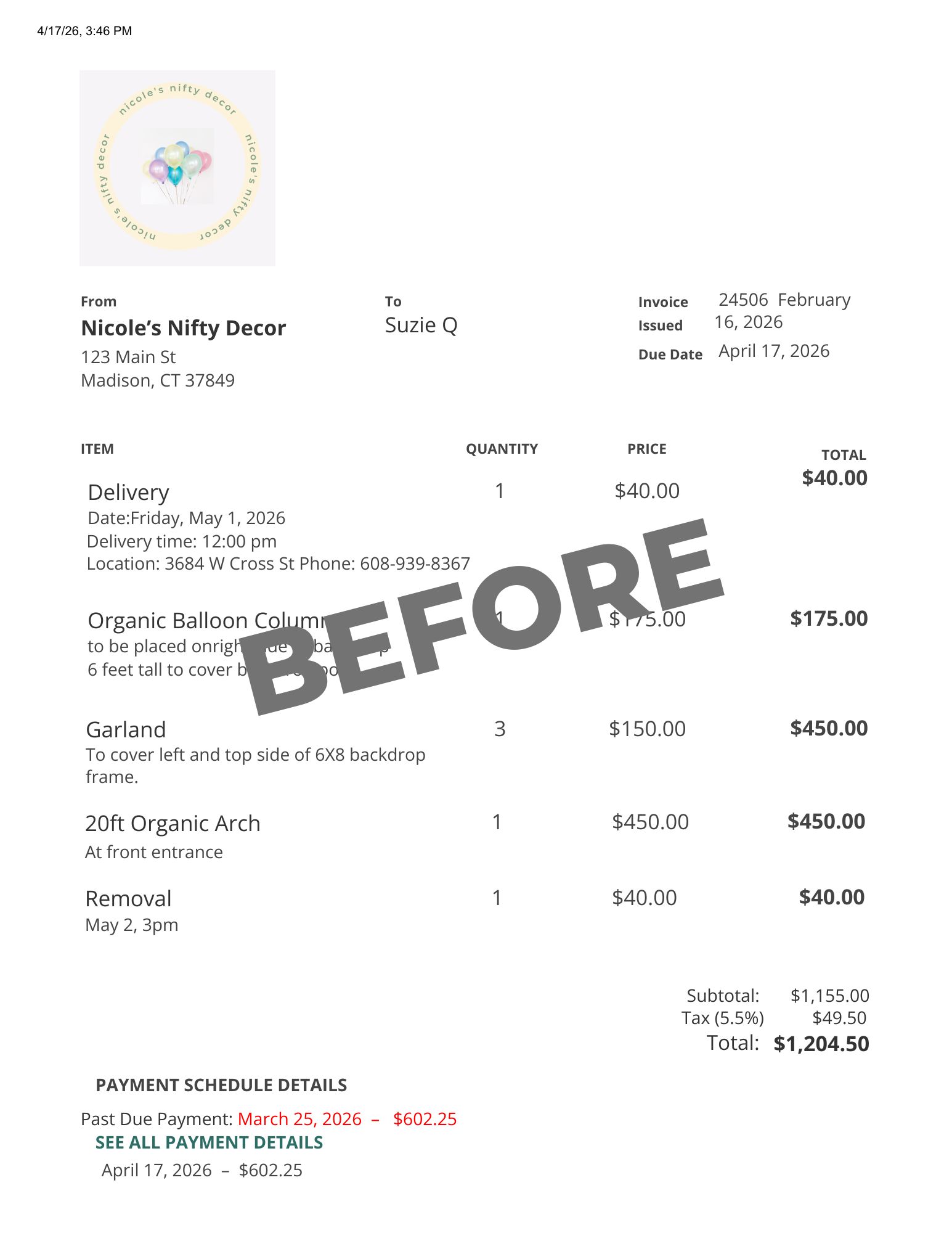
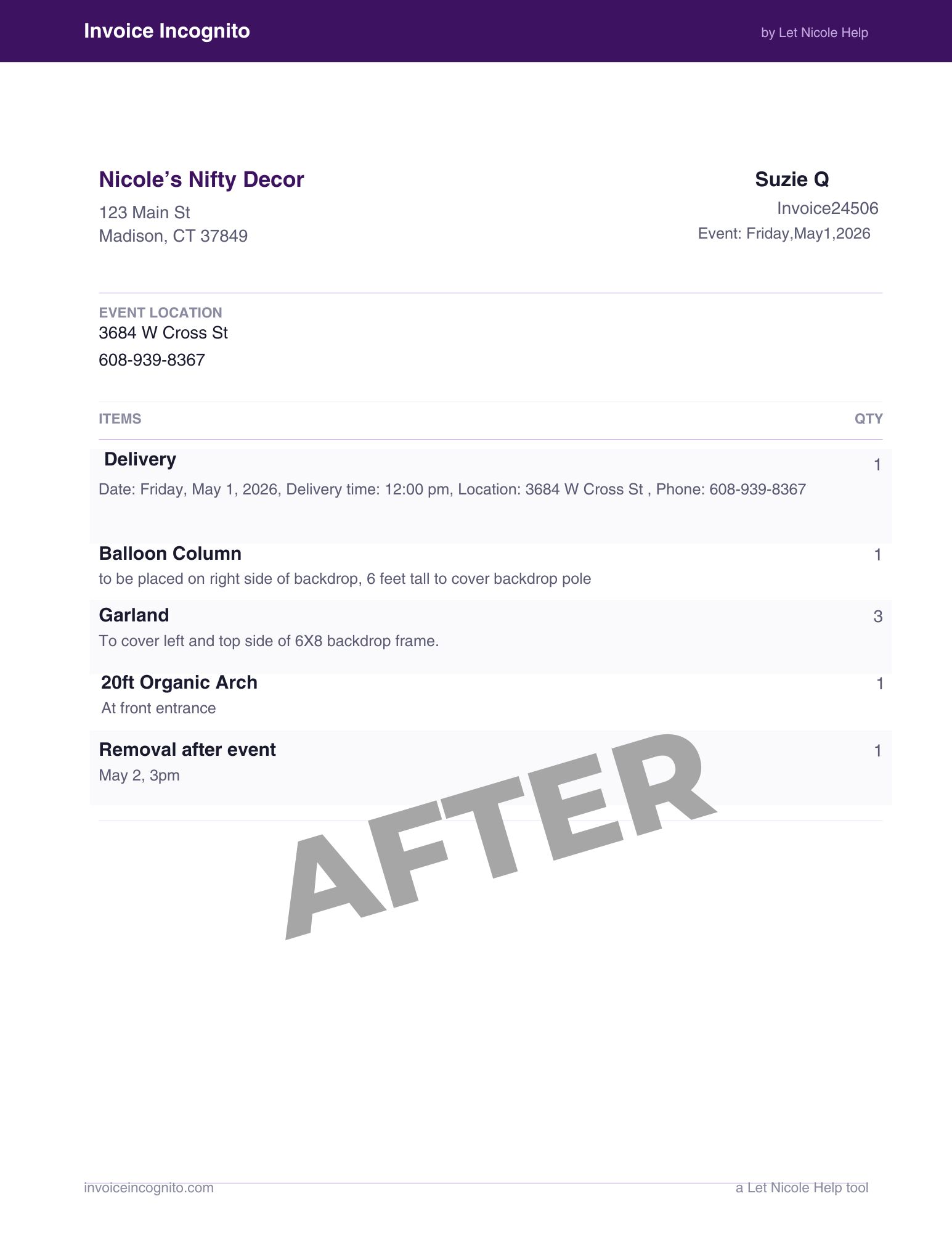
Upload a balloon invoice and Invoice Incognito strips out every price, total, and payment term, then hands you a clean, branded work order your crew can actually build from. No more screenshotting invoices and hoping nobody sees your margins.
From invoice to work order in seconds
You already made the invoice. Invoice Incognito turns it into the version your crew should see.
Recipes: your specs, on every work order
Stop keeping every design in your head. Invoice Incognito remembers your go-to balloon specs and auto-attaches them to matching line items, so your crew doesn't just see "12ft organic garland"; they see the sizes, the colors, the inflation notes, and the placement. Save a design once and every future work order remembers it for you.
Build it once, reuse it forever
No complicated setup. Name it so it matches your invoice, add your balloon specs, and nest smaller recipes inside bigger ones when a design calls for it. Save it once and every future work order remembers it for you.
Name it to match
Name your recipe how the item reads on your invoice; that's how it knows to attach itself, automatically. Not an exact match? At processing, link the item once and check “Remember this match”; it attaches on its own from then on. Invoice says “12ft Organic Garland” ... name the recipe “12ft Organic Garland”.
Add your balloon specs
One row per balloon type; size, type, count, and placement, plus notes for the whole design like double-stuff or Hi-Float. Like: your go-to bouquet; every count, size, and foil, saved once.
Nest when it gets big
Building something larger? Drop other recipes inside as components; no need to re-enter specs you already saved. Like: a full organic arch; 4x your 6ft garland section, quantities and all, expanded on the work order.
Buy credits, double your recipe storage
Buy any credit bundle and your recipe storage jumps from 25 slots to 50, permanently. Not a trial; forever.
Any bundle counts · credits never expire
Credits are the invoices you can process; the slots are how many designs you can save. Two different things; no subscription.